EG Specimen No. 01About
← Index of samples
Sheet
Sample 03
Status
Concept
Surface
Mobile
Cut
Designer's cut

Ruta SV

What if a city's transit knowledge lived only in people's heads?

Ruta SV prototype. Search from your current location or revisit a recent destination.
01Find a routeSearch from your current location or revisit a recent destination.
Ruta SV prototype. Sort by time or transfers and compare fares.
02Compare routesSort by time or transfers and compare fares.
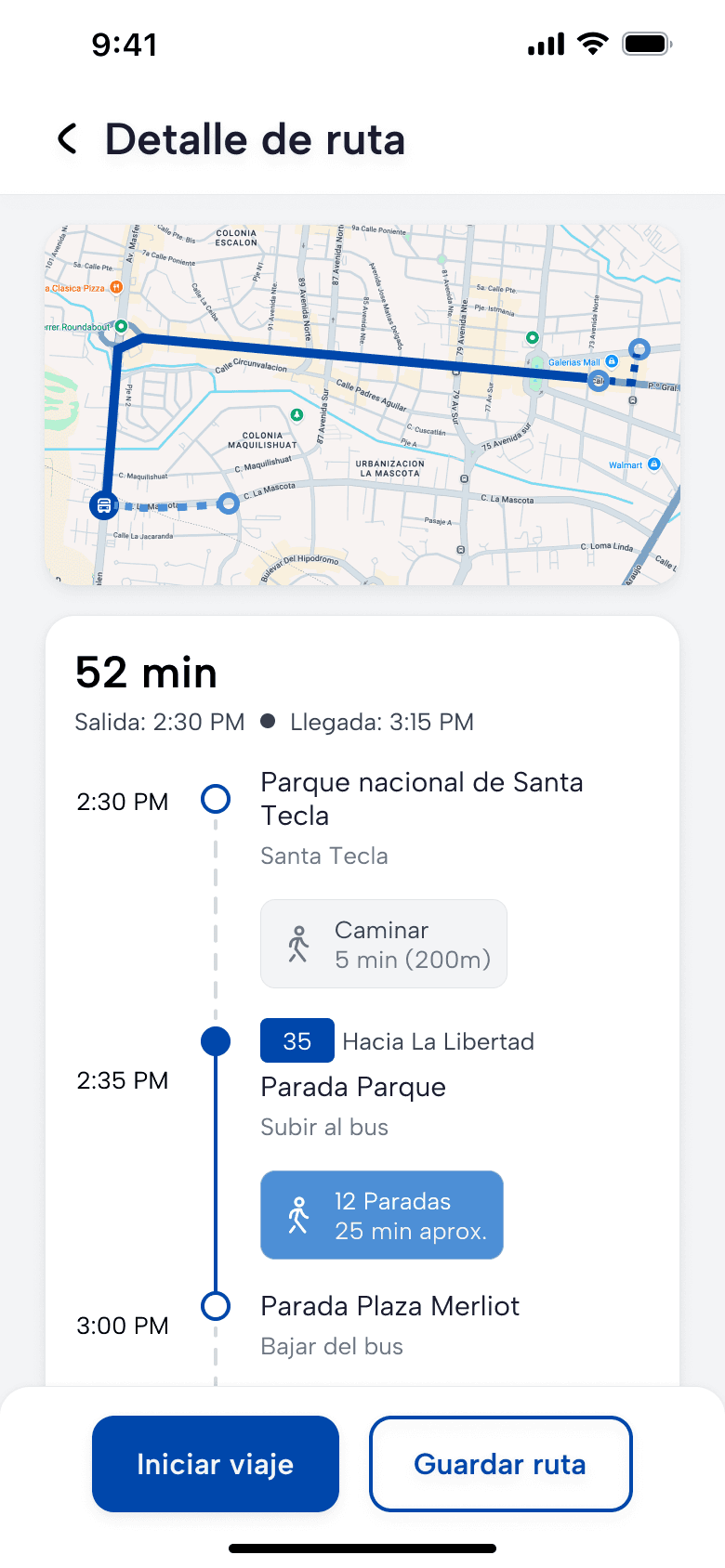
Ruta SV prototype. See the route on a map and follow the stops in order.
03Read the routeSee the route on a map and follow the stops in order.
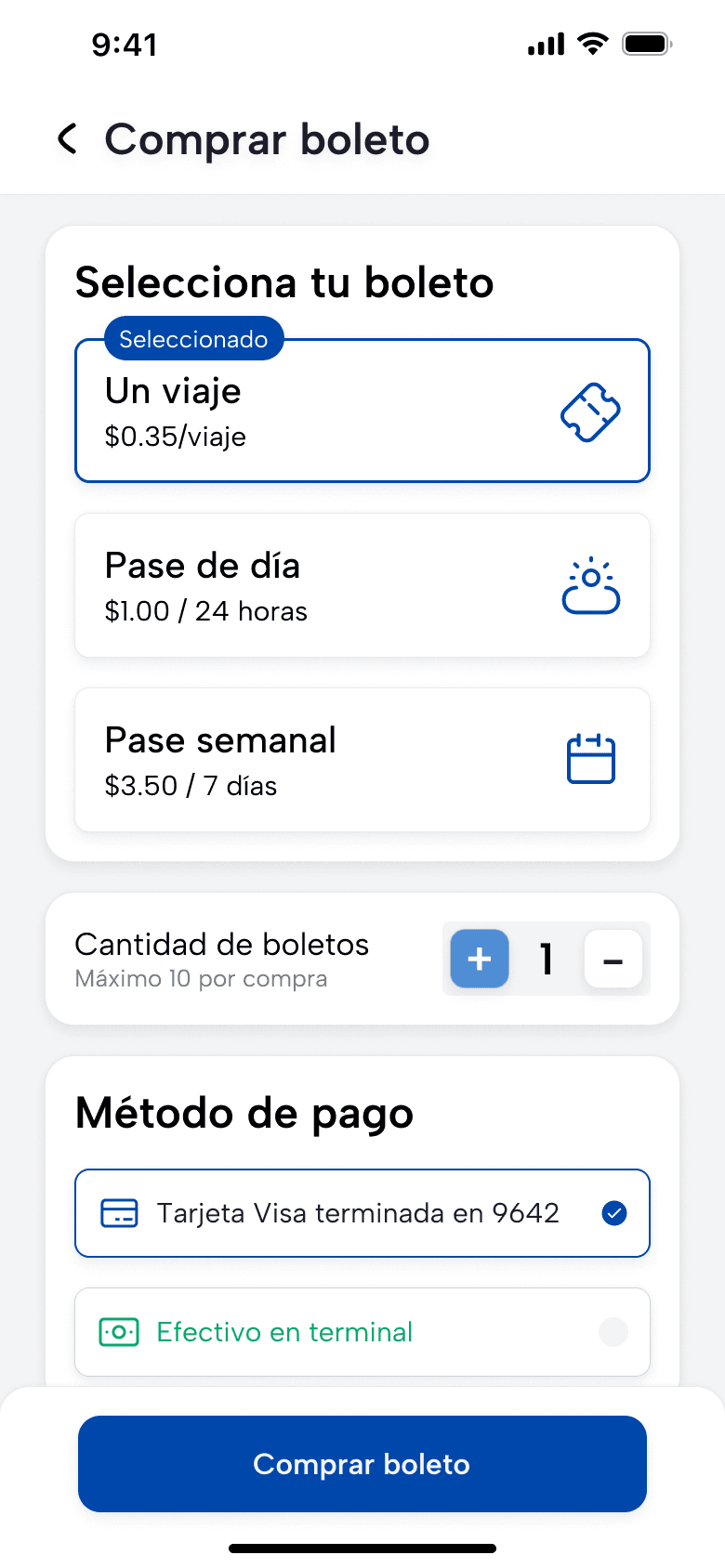
Ruta SV prototype. Single ride, day and week passes with card or cash at the terminal.
05Choose a ticketSingle ride, day and week passes with card or cash at the terminal.
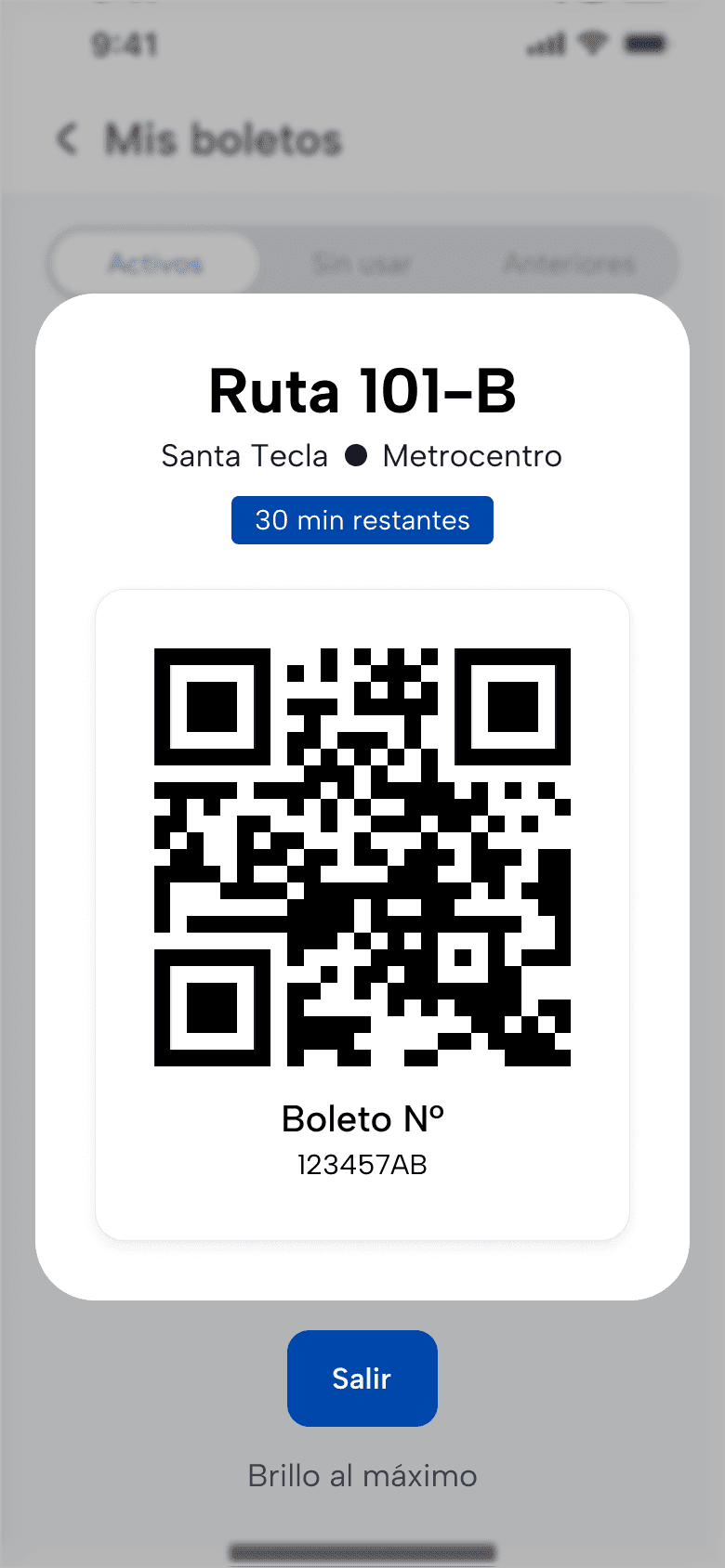
Ruta SV prototype. The ticket shows a large code and the time remaining.
08Show the QR codeThe ticket shows a large code and the time remaining.
Product
Public transit app for El Salvador
Role
Product designer, from research to high-fidelity UI
Platform
Mobile, designed for offline access to saved routes and tickets
Scope
Rider research, trip planning, ticketing and design system

A The problem

Finding the right bus often means asking someone.

Ruta SV is a concept for planning a bus trip in El Salvador. Riders may know the landmark they want to reach while still needing help finding the bus, checking the fare or knowing where to get off.

Interviews, a survey and observation informed the design. I considered daily commuters juggling transfers, occasional riders learning unfamiliar routes and people who rely on a screen reader.

B What the research changed

  1. 01

    Riders describe trips by landmark

    A familiar place is often easier to name than a route number.

    Decision

    Accept landmarks, destinations and addresses in search. Show route numbers in the results.

  2. 02

    Connectivity varies along the trip

    Mobile data can be expensive and coverage inconsistent.

    Decision

    Design saved routes and tickets to open without a connection.

  3. 03

    Cash is part of the trip

    A bank card is out of reach for some riders.

    Decision

    Keep cash at the terminal alongside digital ticketing.

C The prototype, 8 screens

Start with a place you know

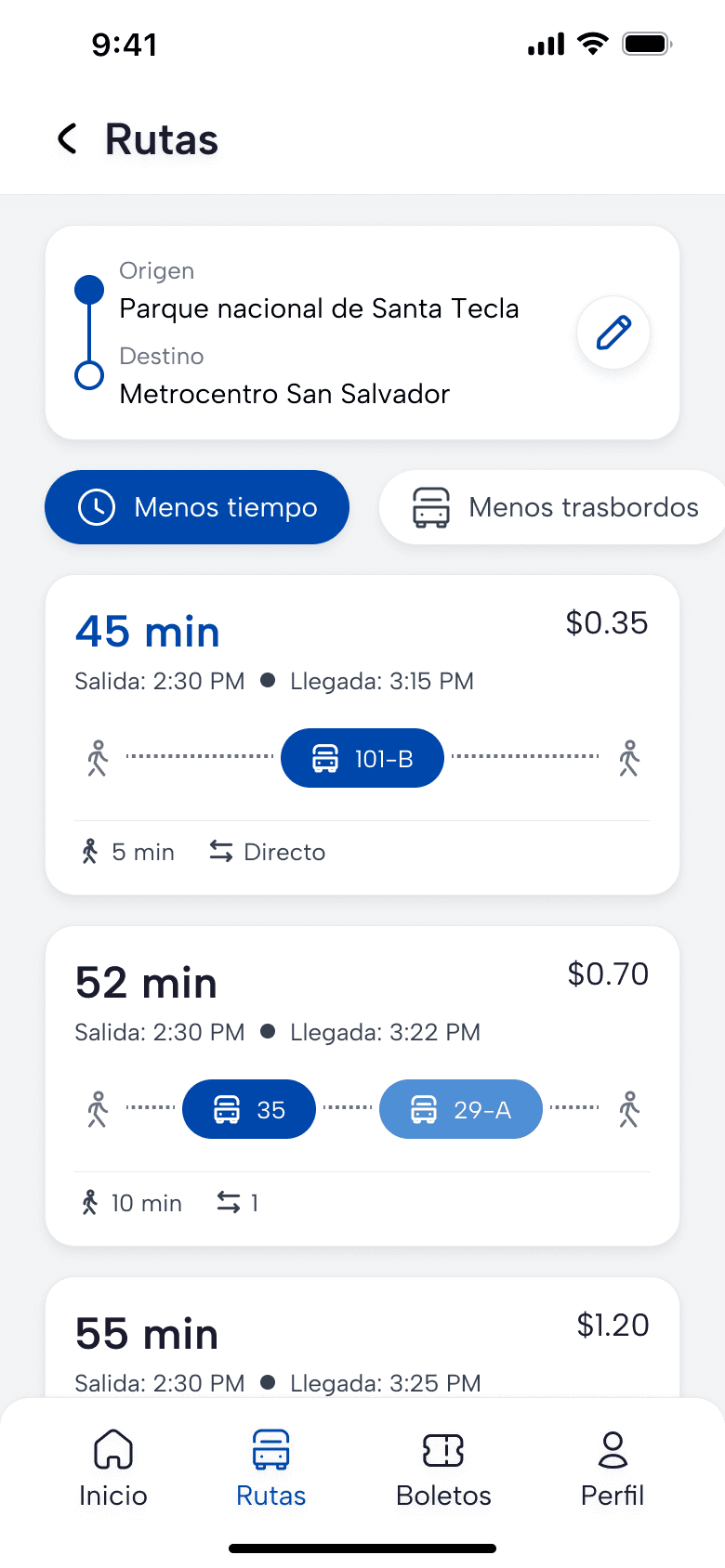
Search for a destination like Metrocentro, then compare routes by travel time, transfers and fare. The route number helps identify the bus once you know which trip to take.
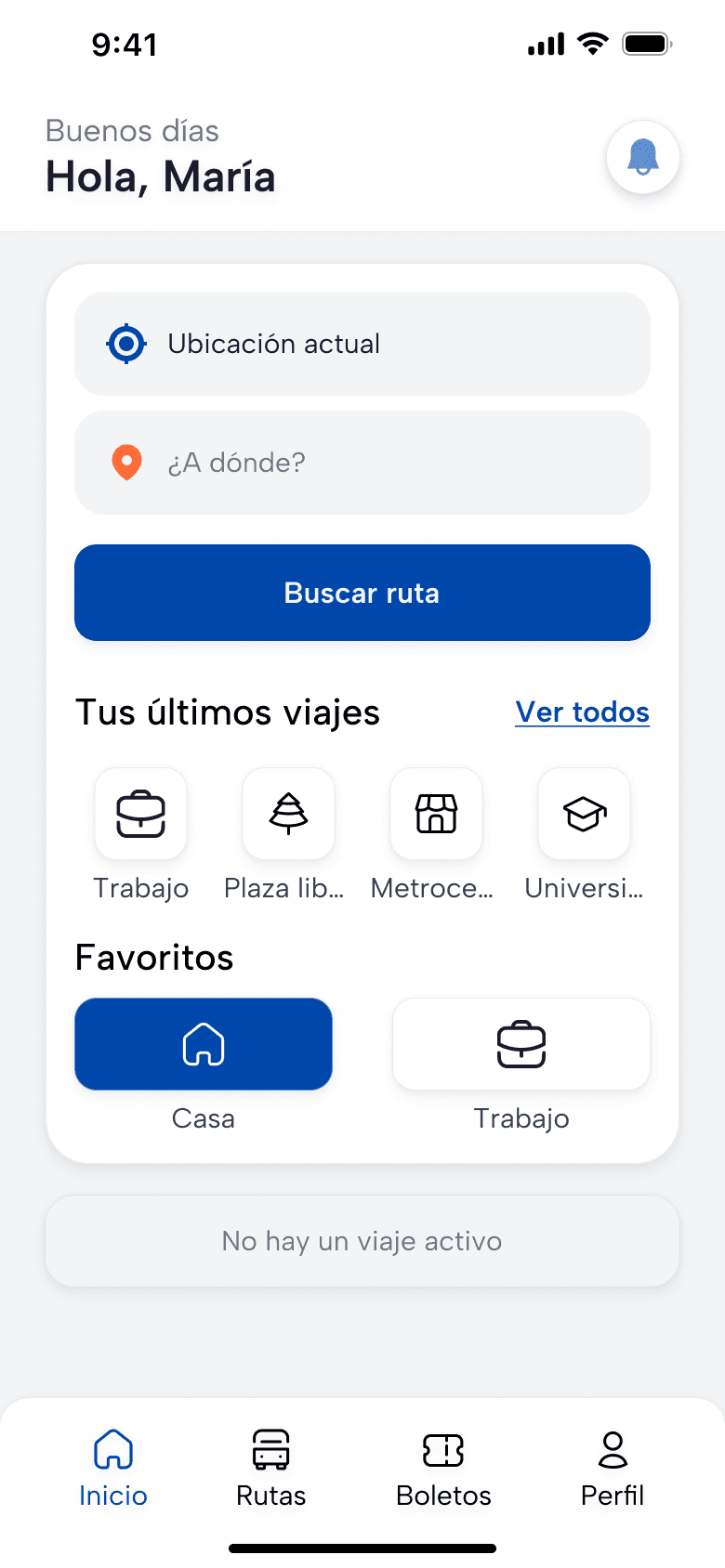
Ruta SV prototype. Search from your current location or revisit a recent destination.
01Find a routeSearch from your current location or revisit a recent destination.
Ruta SV prototype. Sort by time or transfers and compare fares.
02Compare routesSort by time or transfers and compare fares.

Know what to expect on the route

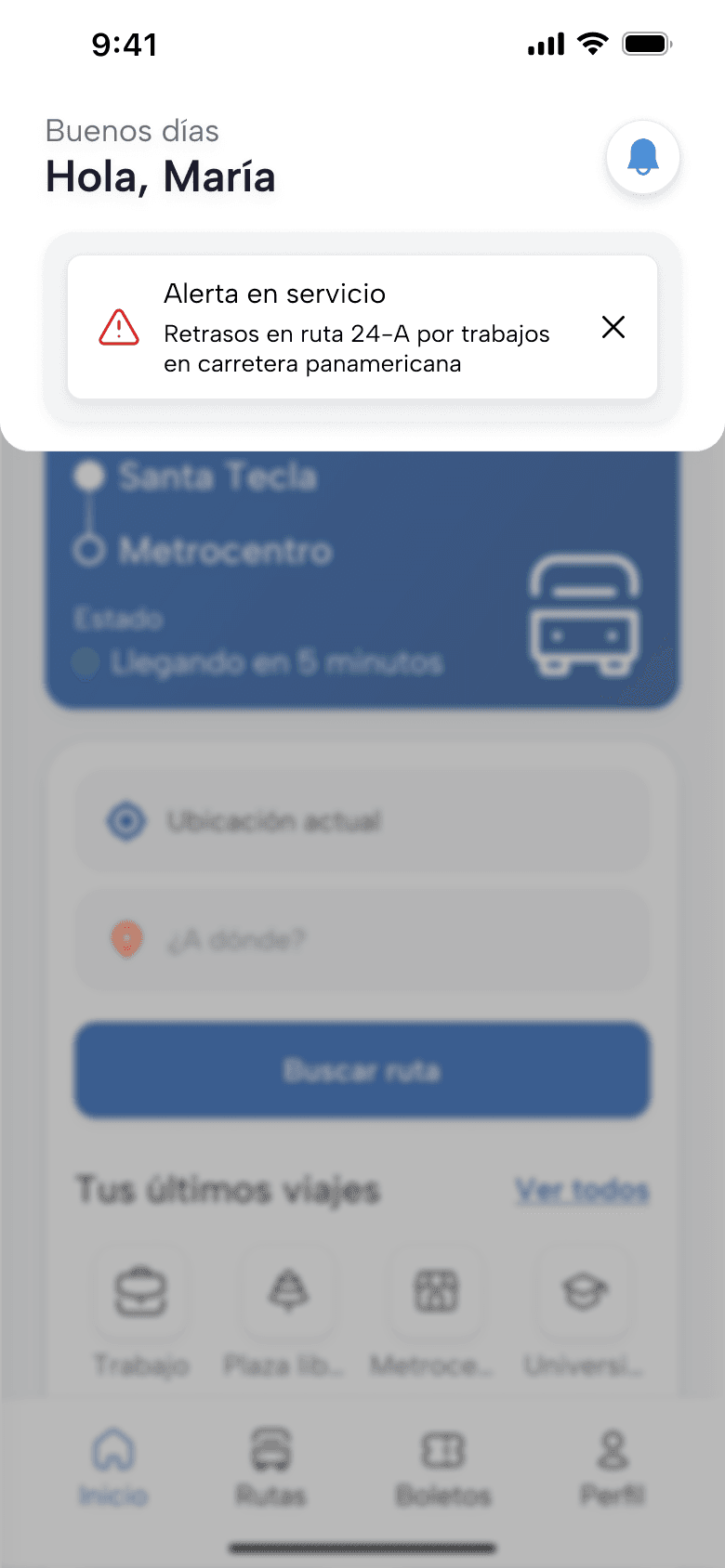
The map and stop list show where to get on and off. If service changes, an alert names the affected route and explains the delay.
Ruta SV prototype. See the route on a map and follow the stops in order.
03Read the routeSee the route on a map and follow the stops in order.
Ruta SV prototype. A service alert names the affected route and explains the delay.
04Check a disruptionA service alert names the affected route and explains the delay.

Choose a pass and keep it handy

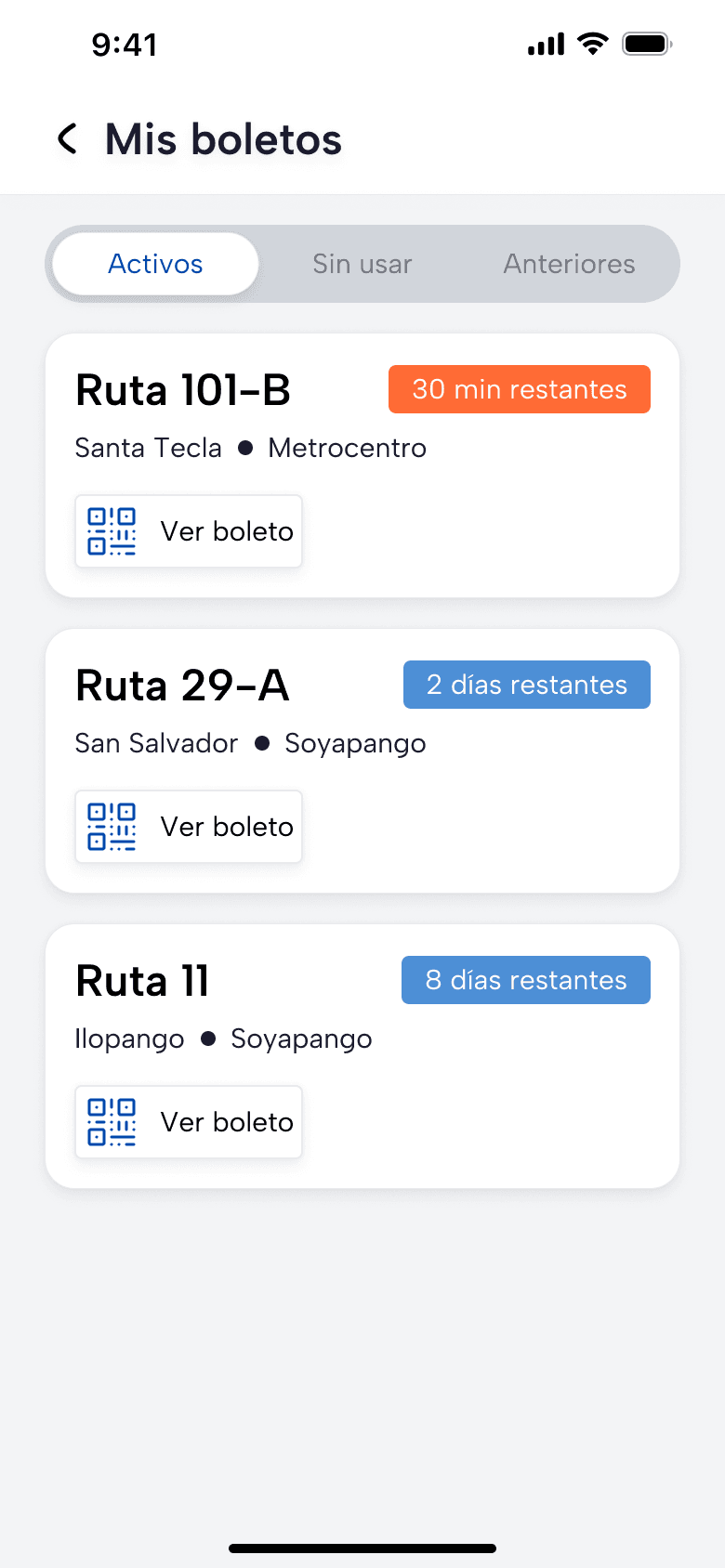
Riders can compare pass prices and choose to pay with cash at the terminal. The ticket list separates active passes from unused and past ones.
Ruta SV prototype. Single ride, day and week passes with card or cash at the terminal.
05Choose a ticketSingle ride, day and week passes with card or cash at the terminal.
Ruta SV prototype. Active, unused and past tickets have separate tabs.
06Find a ticketActive, unused and past tickets have separate tabs.

Check the bus and show the ticket

During a trip, the home screen brings the arrival estimate and a ticket shortcut to the top. The QR view shows how much time is left, and the concept calls for saved tickets to open offline.
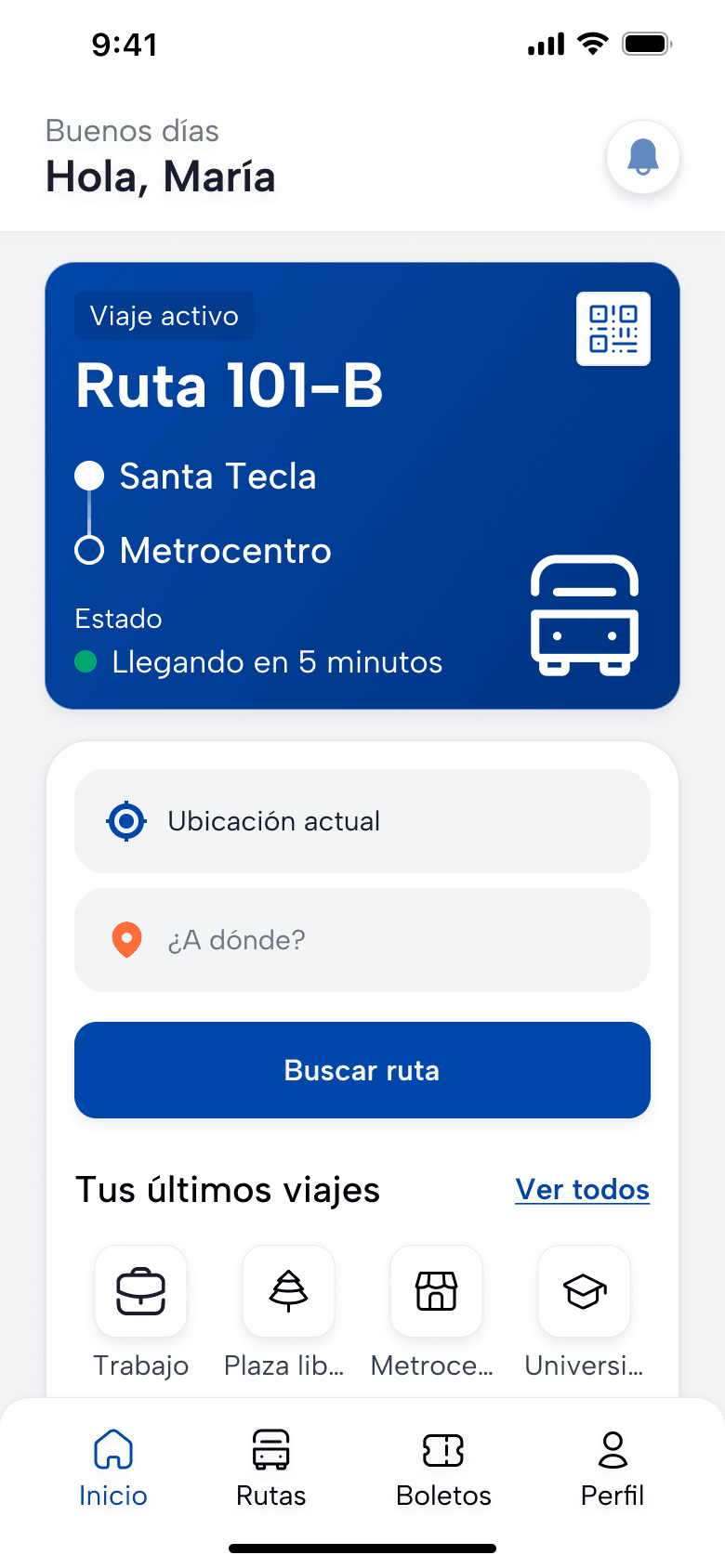
Ruta SV prototype. See the active route and when the bus is due.
07Follow a tripSee the active route and when the bus is due.
Ruta SV prototype. The ticket shows a large code and the time remaining.
08Show the QR codeThe ticket shows a large code and the time remaining.

D Accessibility targets

  1. 01

    4.5:1 contrast

    Minimum contrast target for standard text.

  2. 02

    48dp touch targets

    Minimum size for interactive controls.

  3. 03

    Screen reader labels

    Specify labels and a logical reading order for VoiceOver and TalkBack.

  4. 04

    85–200% text scaling

    Design type and layouts to support the full size range.